Volume Shield for Mac
Download Volume Shield
Bought Volume Shield? Download it here and activate it from your receipt. Haven't bought it yet? You'll need a license to use it: get one for $29.99.
- Download and installOpen the .dmg and drag Volume Shield to Applications.
- Open it from ApplicationsIt lives in your menu bar, not the Dock.
- Allow audio accessWhen macOS asks, allow Screen & System Audio Recording. It reads what your Mac plays, not your microphone, and never saves audio.
- Activate in one clickUse the link in your receipt. No key to find or type.

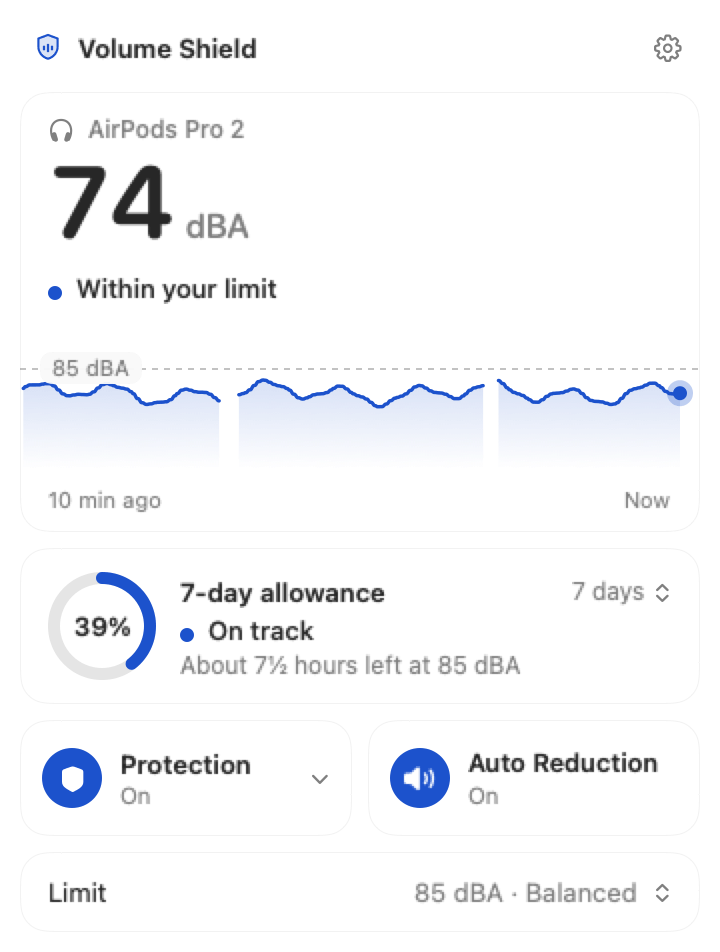
One-click activation
Install first. Then activate in one click.
Checking for a secure activation handoff…
Activation requires an internet connection the first time. Volume Shield stores the activated license only in this Mac’s Keychain and keeps manual key entry available in Settings → License if needed.
Will it work on my Mac?
- Operating system
- macOS Sequoia 15 (15.0) or later
- Hardware
- Universal app for Apple silicon and Intel Macs
- Permission
- Screen & System Audio Recording — used to read outgoing system audio, not the microphone
- Format
- Disk image (.dmg); drag Volume Shield to Applications
- Network
- Listening estimates work offline. License activation, validation, and deactivation use Lemon Squeezy over HTTPS.
Volume Shield provides estimates for personal awareness and is not a medical device or hearing test.